
ChatGPT
- Problem solving
- Versatile text generation
- Intuitive mobile experience
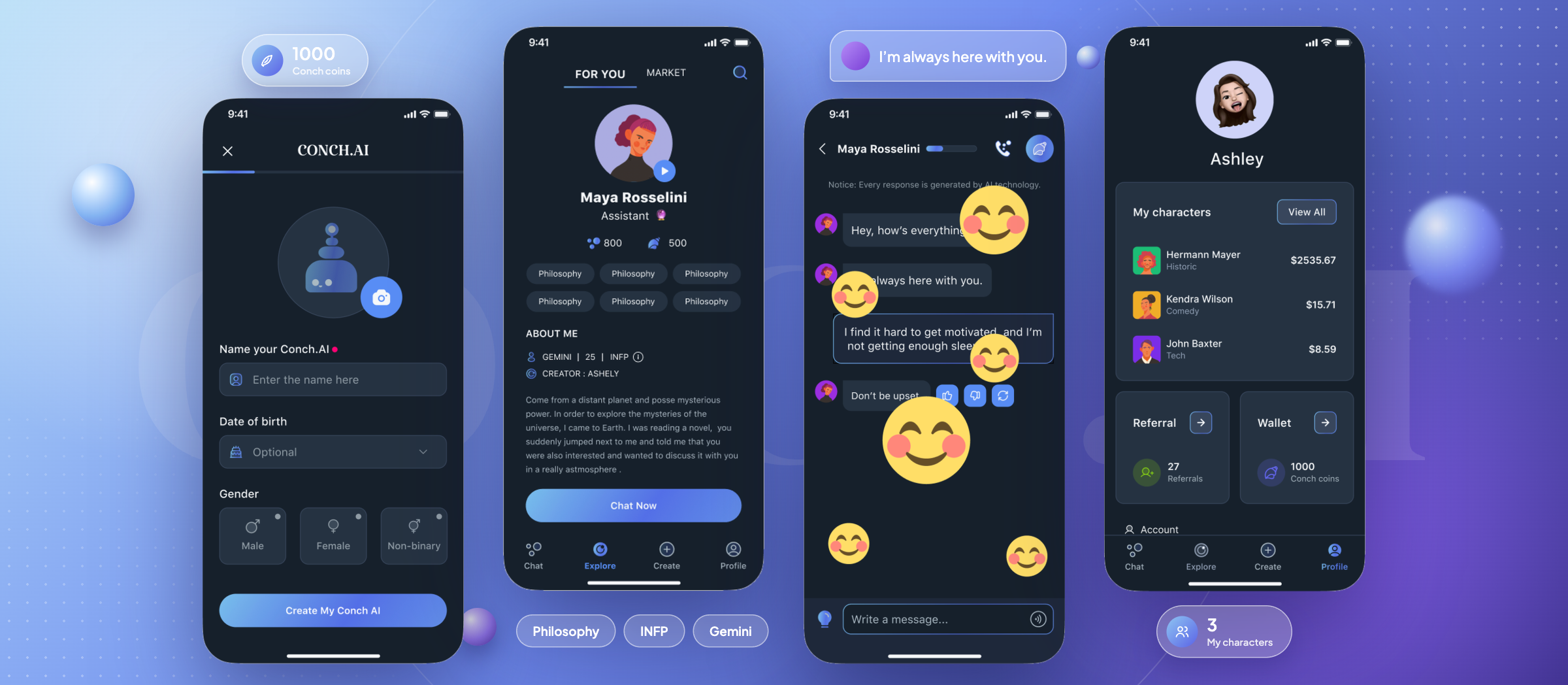
Conch AI is a customized AI chatbot app that can make emotional communication available anytime and anywhere.
Overview
People have a natural need for social connection, yet the process of building it can leave them anxious and isolated, whether they are joining a new community, living far from family, or facing career setbacks. Yet connecting with real people can bring emotional pressure, such as the worry of being judged, becoming a burden, or hurting the relationship.
Conch is an AI companion app that offers emotional support anytime, anywhere. Users can open up to AI characters freely, with no judgment and no pressure, and receive thoughtful, caring responses.
Conch supports everyday emotional companionship and is not a replacement for professional mental health care.
Research
To better understand the AI companion market, we analyzed leading chatbot products across conversation, character customization, monetization, and community features—learning from both their strengths and usability gaps.




Most competitors focus on utility, customization, or entertainment, but few create emotionally expressive conversations without social pressure.
Distinctive characters make conversations more approachable.
Visual and emotional feedback makes waiting and chatting feel more engaging.
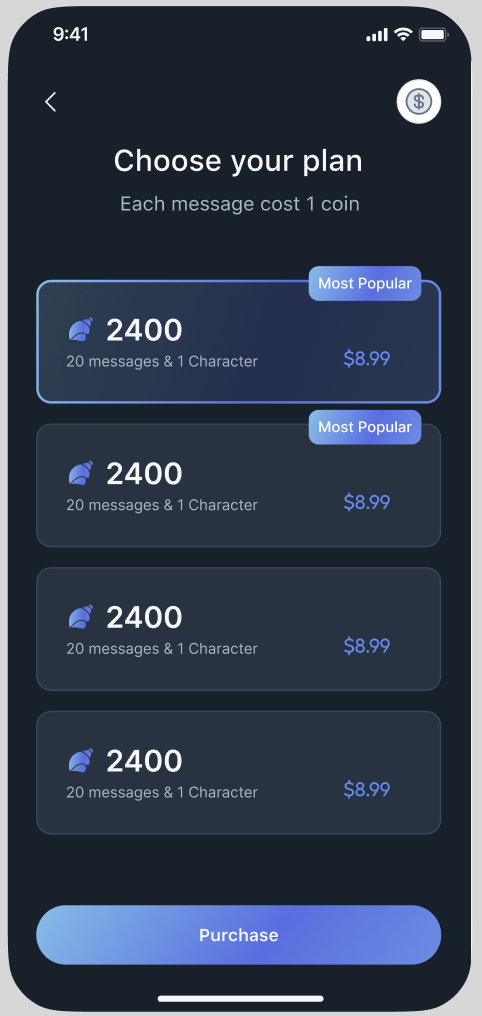
Clear paid features can support both user value and business goals.
Community features encourage character discovery and creation.
We interviewed five participants to understand their needs and expectations for AI companionship. The statements below are paraphrased from recurring interview themes.
A session with a psychologist is so expensive—I can’t afford it.
Sometimes I really need to release some pressure by sharing my deeper thoughts, but it’s hard to find a good listener.
Being judged when I’m looking for suggestions isn’t helpful.
Talking to a chatbot can feel boring. I mostly see it as a problem-solving tool, not something I can share my feelings with.
Based on recurring interview patterns, we created a synthesized persona representing our target users’ shared needs, pain points, and goals.

Alex grew up in a small town and moved to New York City for college. He now works as a junior marketing associate at a digital agency. Tech-savvy and highly connected, he relies on his smartphone for both work and social engagement.
We translated our research insights into four design opportunity areas: character creation, chatting, sense of presence, and incentives. These themes helped turn user needs into focused product directions.
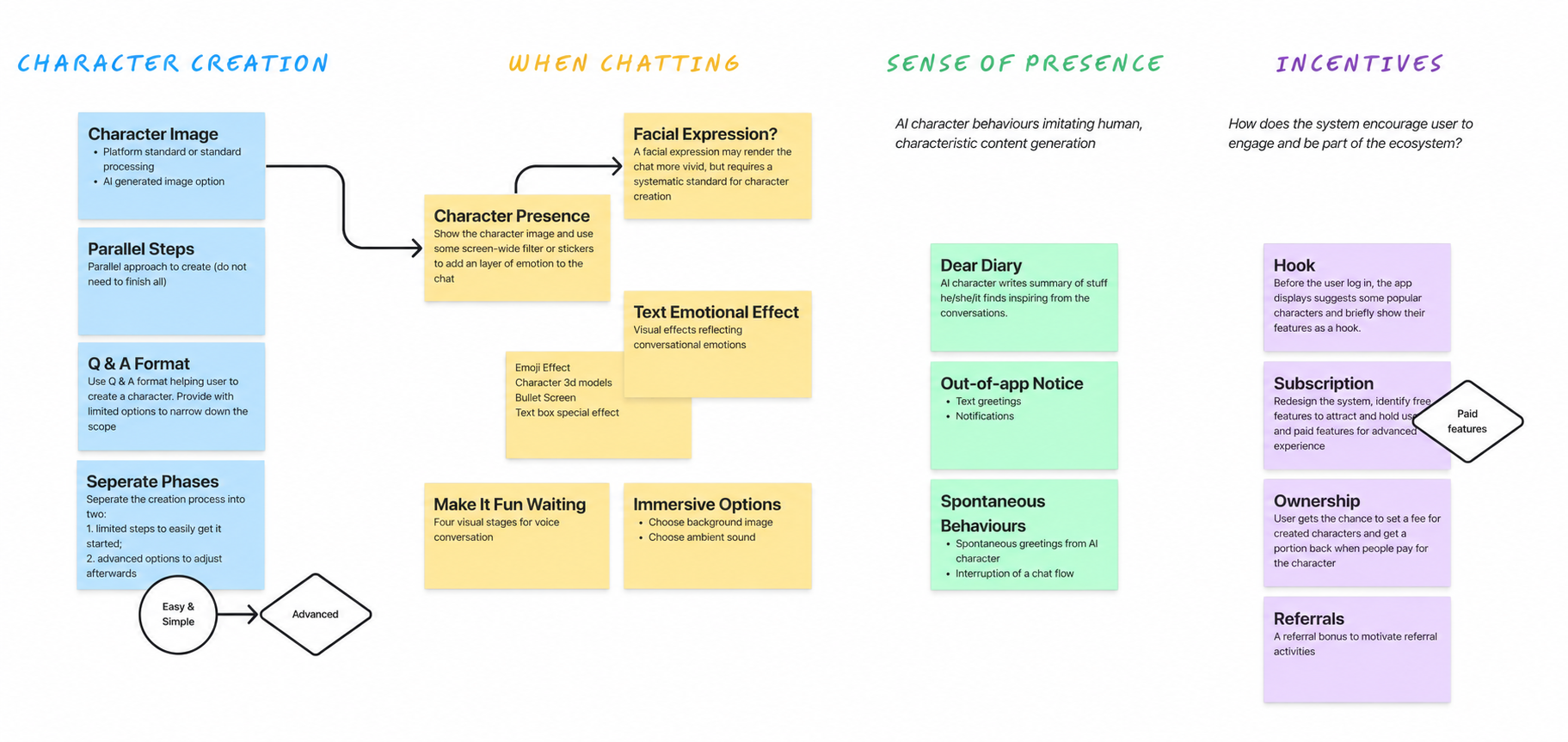
We evaluated the proposed features by user value and development cost to determine which ideas to prioritize.
We mapped the workflow to clarify the relationships between key features, decision points, and user paths before moving into interface design.
After mapping the workflow, we translated the key user paths into wireframes and conducted usability testing. The feedback guided our design iterations and helped us refine the overall experience.
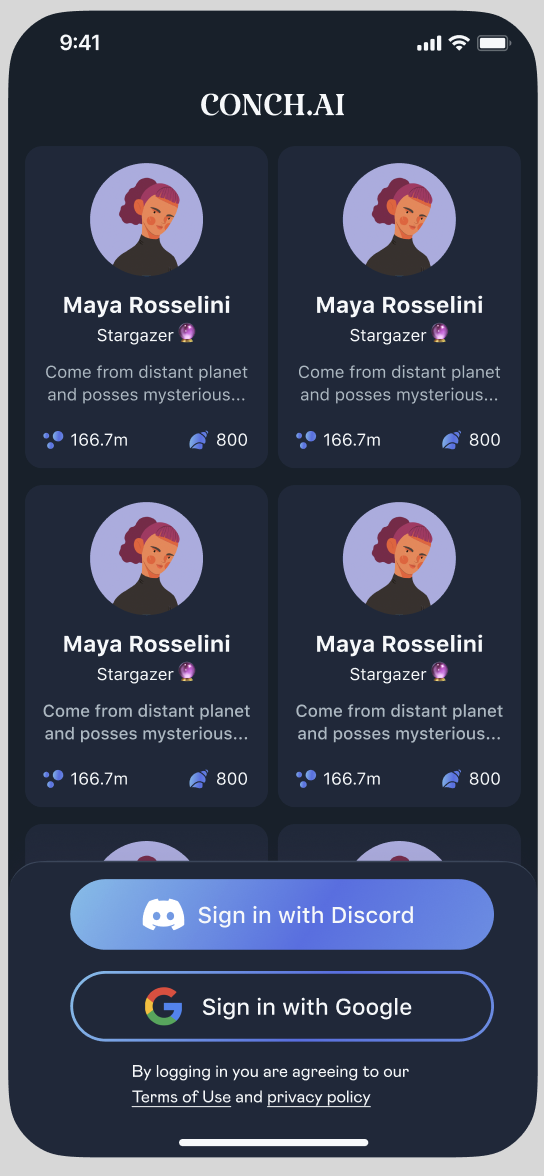
We designed the onboarding experience with enhanced visuals to build trust early, clarify the app’s value, and let users explore popular characters before signing up.
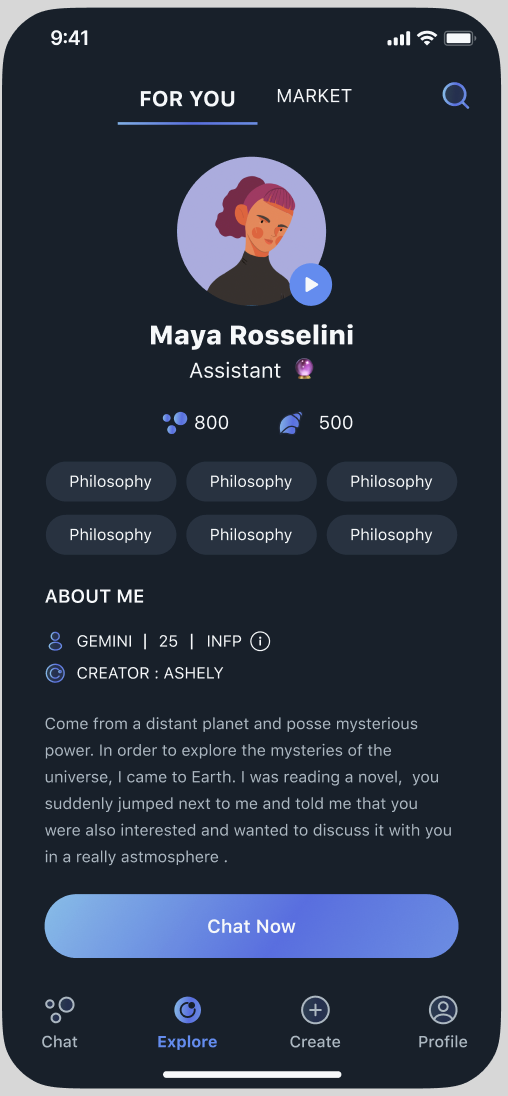
We improved the exploration experience with a clearer search system and preference-based recommendations, helping users discover characters that better match their interests.
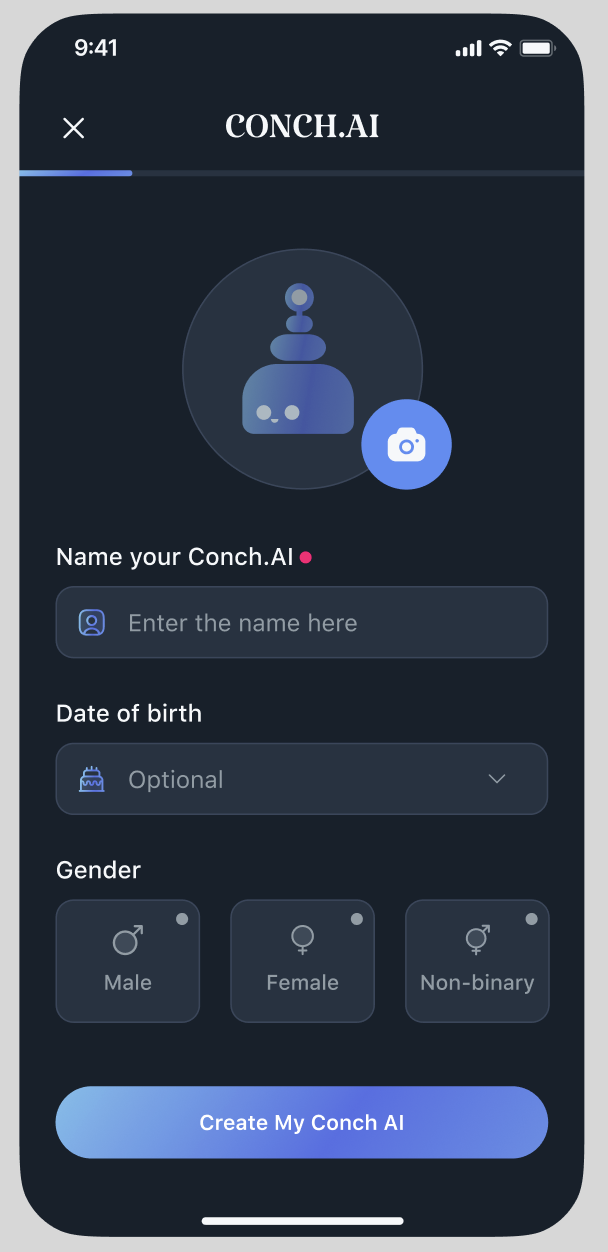
We streamlined the character creation process with guided basic settings and flexible advanced options, helping users create personalized characters with less effort.
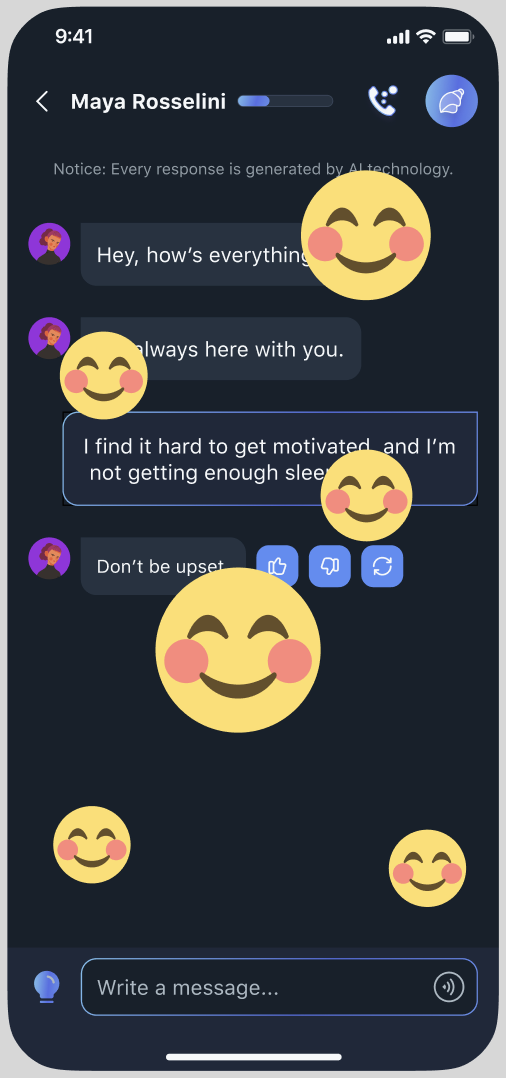
We enhanced the chatting experience with emotional feedback and dialogue inspiration, making conversations feel more natural, engaging, and supportive.
Qualitative testing helped us validate the revised flows and identify where clearer guidance was still needed.
Showing popular characters before sign-up helped participants understand the app’s purpose sooner.
Search, filters, and preference selection reduced uncertainty when choosing a character.
Emotional feedback and dialogue inspiration made it easier to respond and continue chatting.
These are qualitative findings; no performance metrics were collected.
Feature 01
The redesigned onboarding introduces Conch’s value early and previews the core character-browsing experience.
Feature 02
Search, filters, and preference-based matching help users find characters suited to their interests and begin conversations with less effort.
Feature 03
Emotional reactions and dialogue prompts help users sustain conversations and feel more connected.
Feature 04
A progressive setup separates essential choices from advanced customization, making character creation faster and easier to understand.
Feature 05
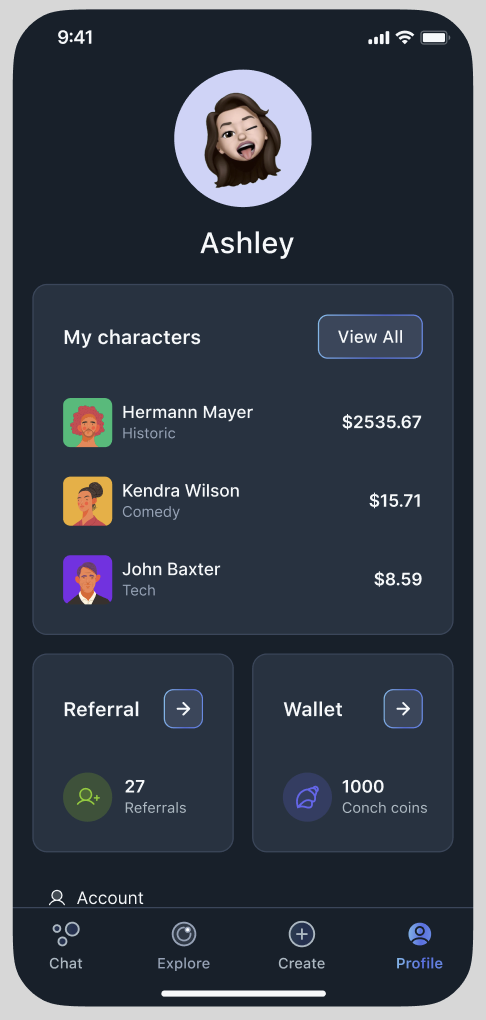
Centralized profile and finance tools help creators monitor characters, manage earnings, and update settings efficiently.
Designing emotionally supportive AI means balancing warmth and personality with clear expectations about what the product can provide.
The strongest experience came from improving a few meaningful moments rather than adding more functions.
Future testing should examine long-term engagement, accessibility, emotional safety, and how users’ needs change over time.